Updated 14 September 2026 with figures, the configurable call window, the qualification pass and the per-lead actions added over the summer, and what production did with it in August.
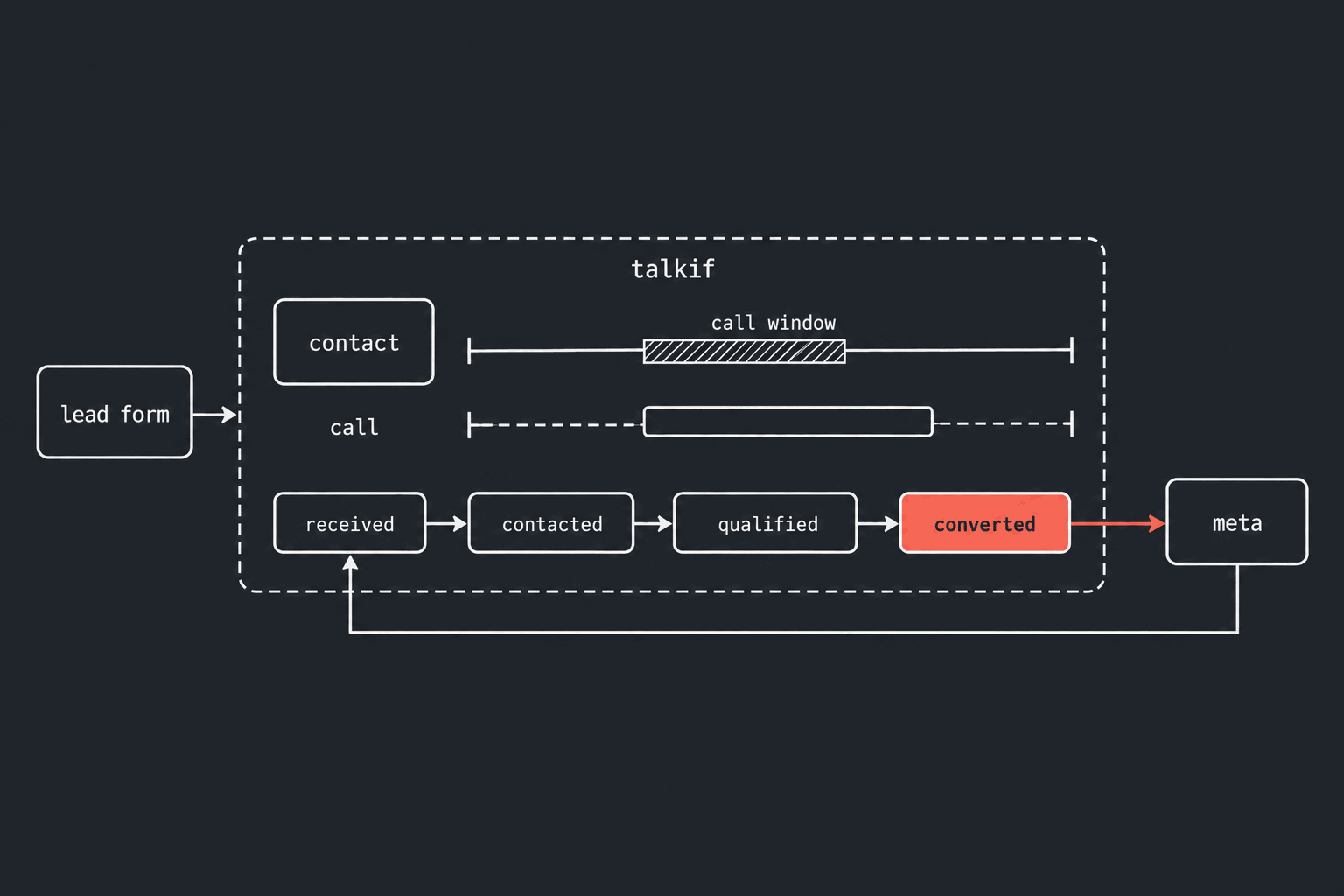
Connect a Facebook Page running Meta lead ads, map one of its forms to a published flow and an active phone number, and from then on every submission to that form becomes an outbound call from that number, running that flow, placed as soon as the lead arrives and the hours you set allow it. When the call ends, Talkif reports what happened — a person answered, the lead was qualified, the lead converted — to Meta's Conversions API against the lead's own Meta ID, so the ad platform can steer delivery toward people who convert on the phone rather than people who fill in forms. Between 15 and 27 August 2026, production ingested 57 leads, queued 102 call attempts for them, ran 62 qualification passes and delivered 84 events back to Meta.
Connect Meta lead ads: the page and the form
In the dashboard, open Call Center → Meta Leads and connect a Facebook Page. Talkif sends you through Facebook's authorisation dialog, lists the Pages you manage, and subscribes the one you pick to its leadgen webhook. The Page token is stored encrypted; every webhook delivery is verified against Meta's X-Hub-Signature-256 before it is parsed.
A connected Page does nothing on its own. Map a form: pick the lead form, the flow to run (it must be published) and the number to call from (it must be active). The mapping carries the calling behaviour for that form —
| Setting | Default |
|---|---|
| Call delay after the lead arrives | 0 s |
| Attempts per lead | 1 |
| Delay between attempts | 30 min |
| Earliest / latest time of day to call | 00:00 / 23:59 |
| Allowed days | every day |
| Leads dialled in parallel | 5 |
| Expected phone country | none |
Leads from a form you have not mapped are recorded and not called; map the form later and they are picked up. The full reference is at docs.talkif.ai/integrate/meta-lead-ads.
The call goes out when the lead lands — through the same gates as every other call
Meta's webhook carries IDs only. Talkif fetches the full lead from the Graph API, reads the standard fields — name, phone, email, company — into a new or matched contact, keeps the custom questions on the lead, and reports the first stage, lead received, to Meta. Then it queues the call, immediately or after the delay you set.
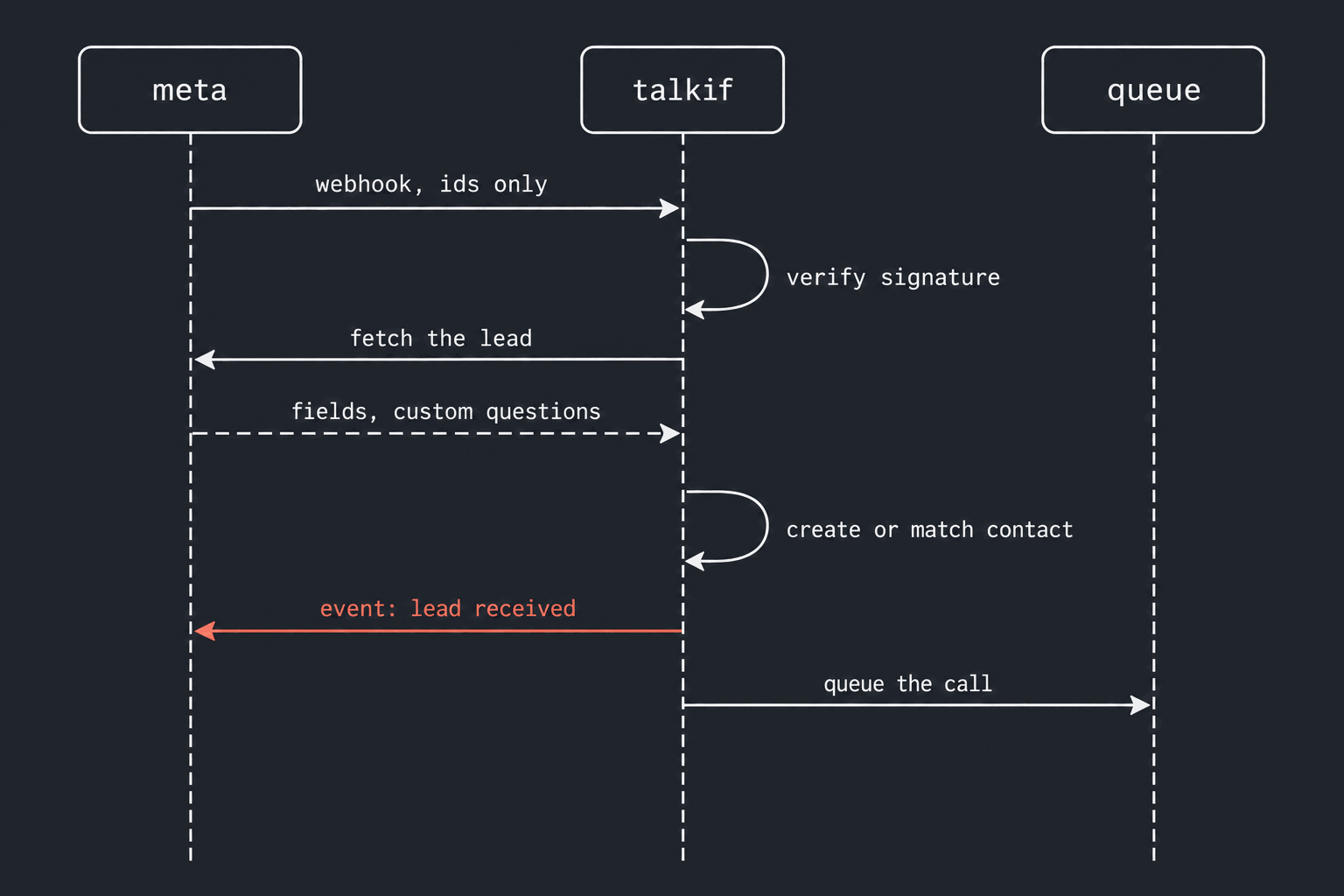
That call is admitted the way any outbound call on Talkif is: the number is checked against your do-not-call list, the account's balance is checked, and calling hours are checked in the recipient's own timezone. Two windows apply, and the tighter one wins. The legal floor is the platform's — for a US number, 8 am to 9 pm local. Yours is the form mapping's window, in the contact's timezone. A lead that arrives outside either is not dropped; it is held until the window opens. In the August window that happened 27 times for the legal floor and 26 times for a customer's own window. Set an expected phone country on the form and a number that is not valid for it is refused rather than dialled — Meta prepends the form's default country code to a bare national number, and a Turkish mobile typed into a US-defaulted form arrives as a valid-looking Oregon number.
A retry is counted only when the phone rang
If nobody answers, the lead is called again after the retry delay, up to the attempts you allowed. What counts as an attempt is the recipient's phone ringing. Busy, no answer, rejected, voicemail — those spend an attempt. A failure on our side — no bot free, the carrier refusing the destination, the flow unpublished, the account out of balance — does not: the attempt is given back and the retry scheduled anyway, because the lead learned nothing from a call that never reached them. Before that rule, with attempts commonly set to 1, a carrier-side refusal spent the lead's only attempt and the lead was never called.
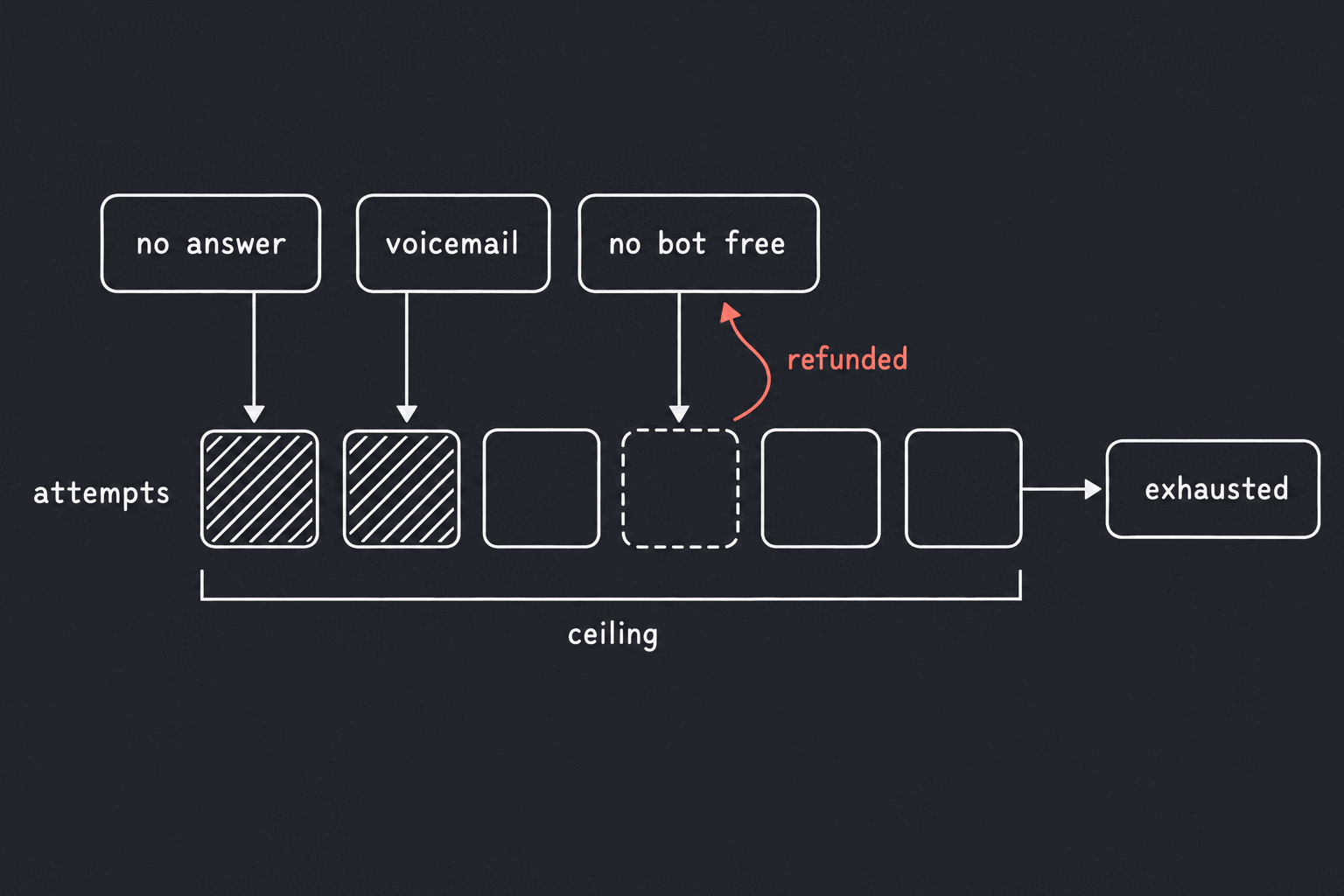
Two ceilings bound the retries regardless of what you configured. A number the carrier reports as non-existent is not retried — it will say the same thing in fifteen minutes. And no lead is dialled more than six times in total, whatever the reason; a lead that reaches that ceiling is marked exhausted and you are told why.
Four stages go back to Meta's Conversions API, keyed by the lead ID
Every lead moves through four stages: lead received, contacted, qualified, converted. Each transition creates one event to Meta's Conversions API, if you have configured a dataset. The event is a CRM event as Meta specifies it — action_source system_generated, event_source crm, and the match key is the lead's Meta ID as an integer; no hashed phone or email is involved. Meta's own documentation for the integration says why it is worth the trouble: "Integrating your CRM and using the Conversion Leads performance goal may yield higher quality leads that are more likely to convert", and "For best results, ensure you have the 15-17 digit Meta Lead ID stored in your CRM" (Conversions API for CRM Integration). Talkif holds that ID from the webhook onward.
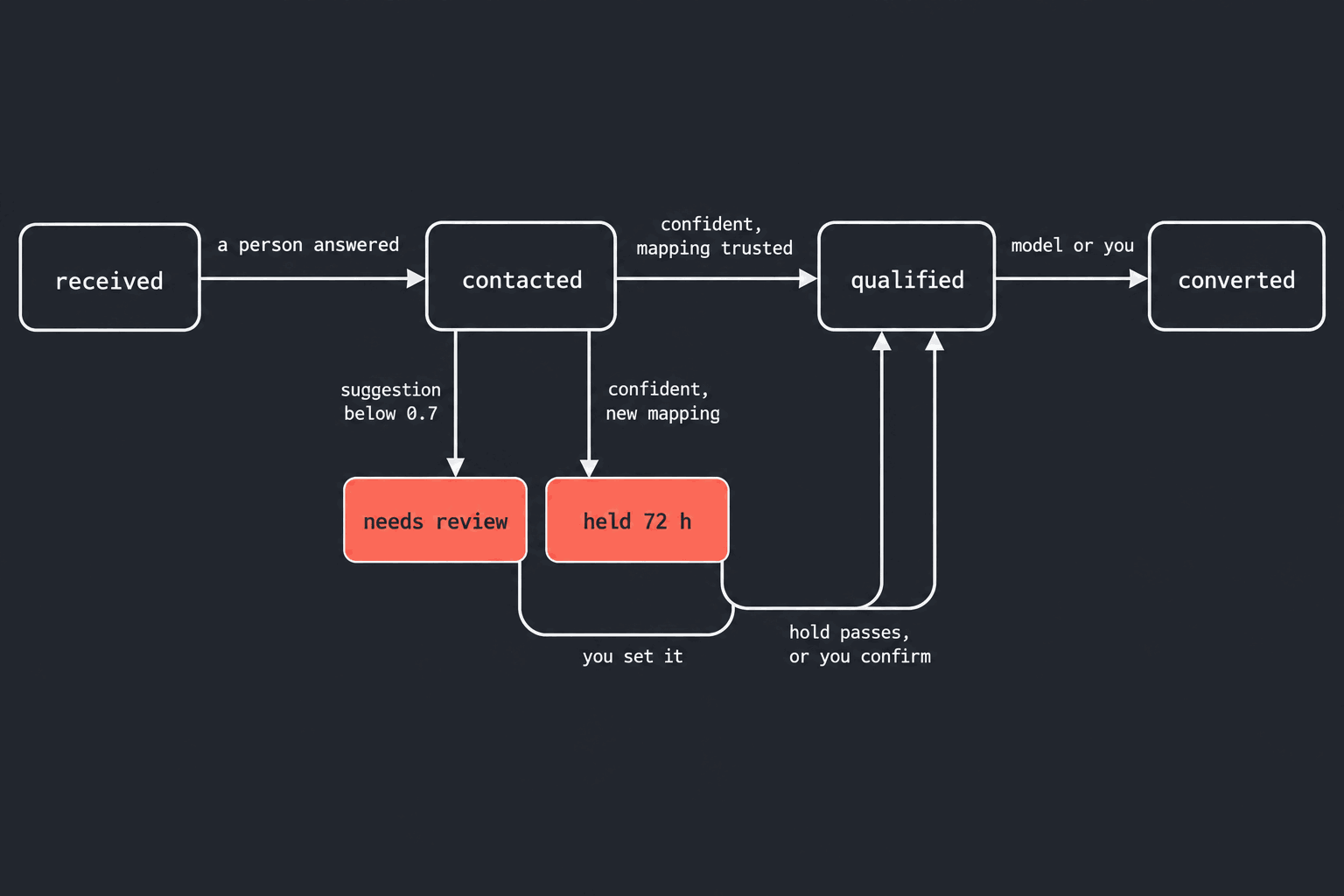
Contacted fires when a call completes with a human on the line — a call answered by voicemail does not count. Event names are yours to rename per stage so they match what you defined in Events Manager, and an empty name stops that stage being sent. Each (lead, stage) pair has one event ID, so a retried call or a re-reported stage never reaches Meta twice; Meta deduplicates on the same ID at its end. Corrections are additive — Meta has no retraction API — so overriding a lead to a different stage sends a new event rather than withdrawing the old one. A failed delivery is retried, and you can resend a specific failed event from the lead's detail page.
Meta's own deduplication is the backstop for that resend: its Conversions API documentation states that "events are only deduplicated if they are received within 48 hours of when we receive the first event with a given event_id" (Meta, Deduplicate Pixel and Server Events). A resend inside that window with the same ID is discarded at Meta's end; outside it, the stable ID per (lead, stage) is what keeps the resend from being a second conversion.
Qualified and converted come from a second model pass, with a brake
The generic post-call analysis is written for a person to read. The funnel stage is a decision that trains someone's ad spend, so it gets its own pass: a model reads the transcript with the framing that this was a follow-up call to an ad-form lead, sees the lead's form answers, and applies the qualification criteria you wrote for that form — or a conservative default if you wrote none. Its output is constrained to a fixed vocabulary by structured output, not by the prompt, and it is charged like call analysis, once per call.
The result does not go to Meta on its own. A suggestion below 0.7 confidence parks the lead at needs review and waits for you. A confident suggestion on a new form mapping is held for 72 hours before it commits, so you can watch the first week and correct it; set the hold to zero on a form you trust. Setting a stage by hand is sticky: the model stops suggesting for that lead. In the August window, 62 qualification passes ran.
What you can do to a lead
From the lead's page: call it now (the same gated path as the automatic call, without the attempt cap — a deliberate override still respects hours, balance and the do-not-call list), schedule a call for a specific time, set its stage, resend a failed Meta event, retry a fetch that failed on Meta's side, or mark it Do not call — which adds the number to your account's do-not-call list, cancels any pending call and stops both the automatic pipeline and manual recalls. Every mapped form also has a campaign behind it, so pausing the campaign pauses the form's calls.
If the Page token expires or Meta refuses it, the integration is marked failed and you are notified once; nothing is silently skipped, and reconnecting the Page picks up where it stopped.
Product
AI voice agent call transfer is live on Talkif
AI voice agent call transfer on Talkif hands a live call to your people, cold or warm, with the case attached and a fallback when nobody answers.
Developers
Kubernetes CPU limits made our audio 126 ms late
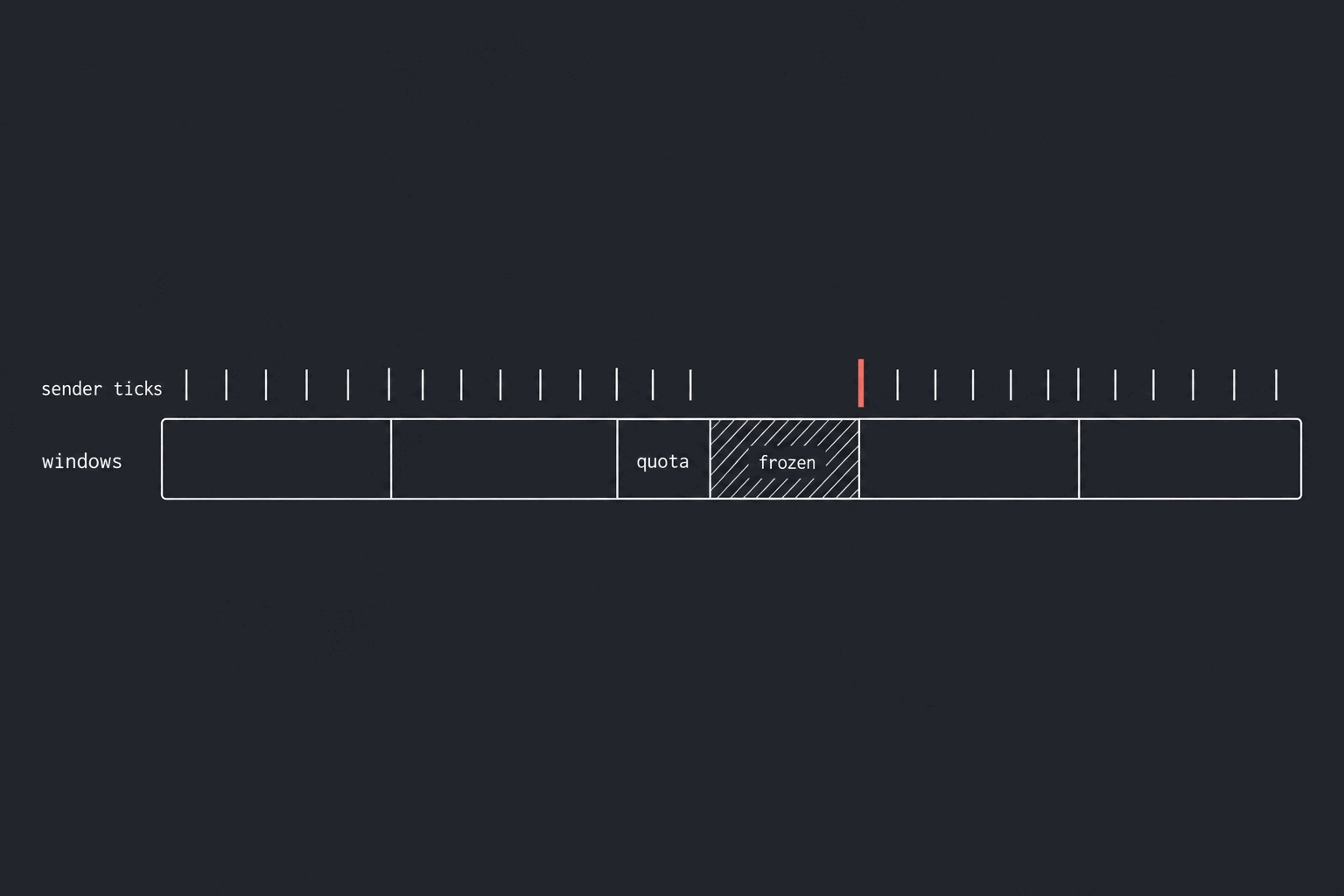
Kubernetes CPU limits made our 20 ms audio clock send packets up to 126 ms late; cpu.stat showed why, and the fix added no machines.
Developers
Turn detection that doesn't talk over you
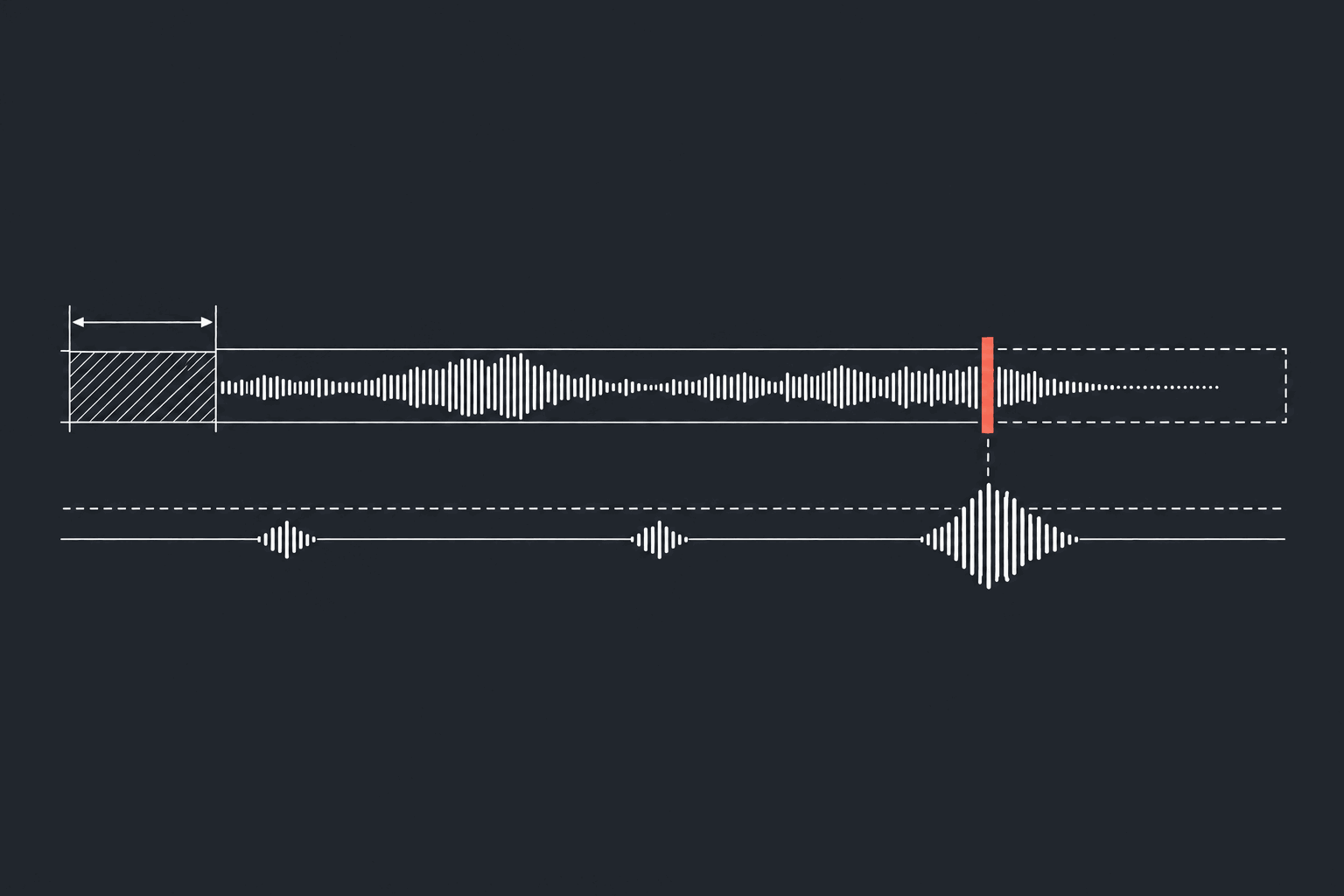
How our voice agent's turn detection decides a caller has finished, when an interruption is real and when to stay quiet, and the incidents behind it.
Developers
Webhook SSRF, closed by a sender that holds nothing
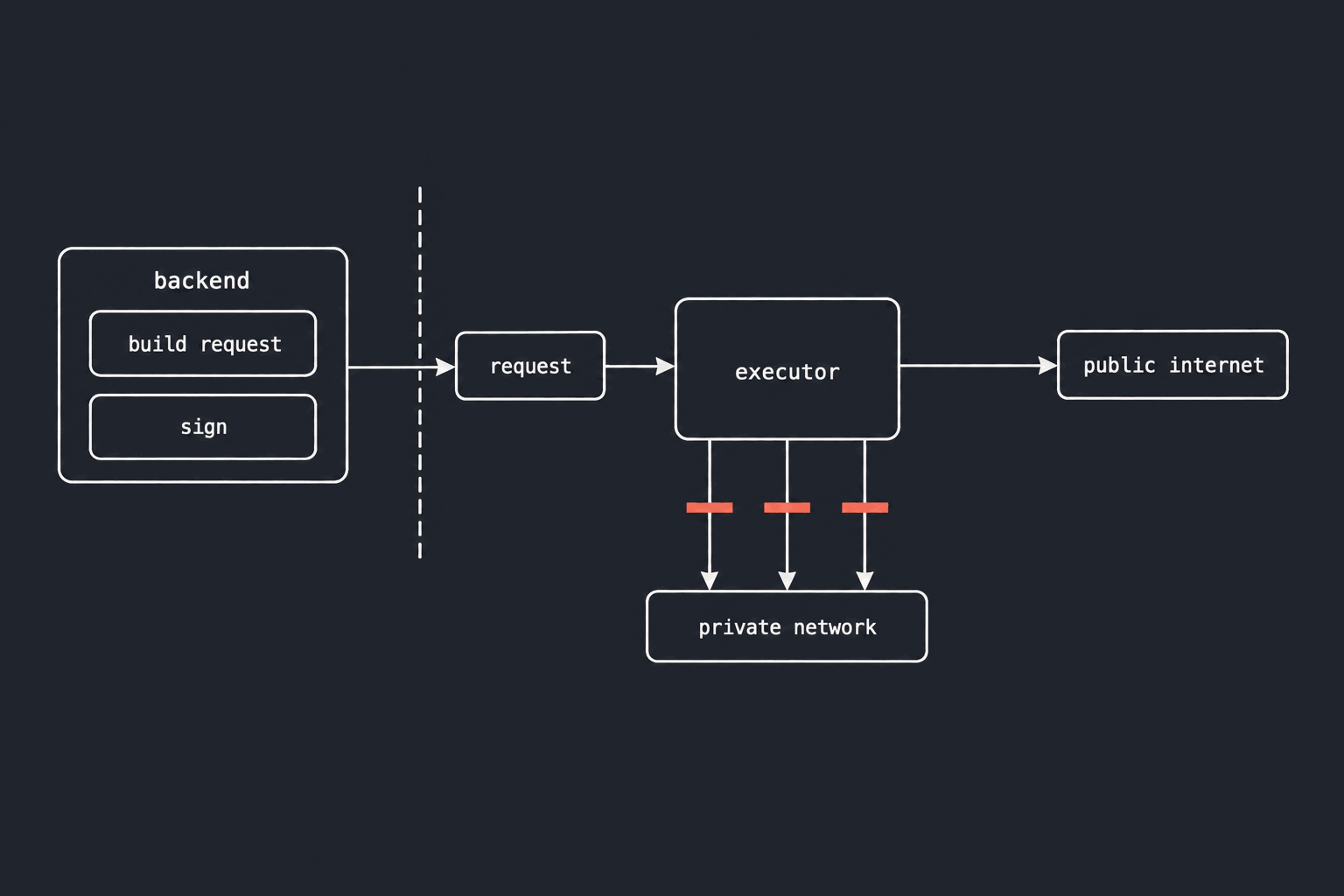
Webhook SSRF closed twice: the process with your secrets never sends, and the process that sends can reach only the public internet.
Questions about this piece? Write to us.